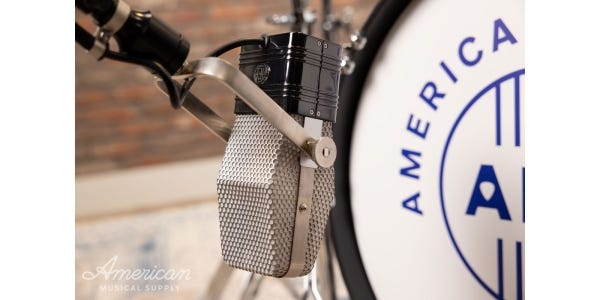

For decades and decades, wired audio has been the standard. Hundreds of feet of cable, bundled up, taped down, stretching the length of the venue, making the long journey from sound booth to stage. Even now, dealing with lots of cable is kind of a “rite of passage” for anyone involved in the performance world.
So, as a musician, creator, and performer in 2026, is there an easy way to cut down on cables? What about wireless!? Is it something a newbie can use without too much trouble? To those questions, I give a resounding “YES!” There have been incredible advances in the world of professional wireless audio over the years, and we’re living in a wonderful age. Here’s how to use wireless in your live sound setup.
What Comes in a Wireless Kit?
Wireless microphone systems give performers the freedom to move around the stage without dragging long cables behind them. Emcees and presenters can move freely into the crowd and interact with their audiences. And band members can eliminate the need for stage monitors, customize and control their own personal mixes, and hear every element of their music with the help of an in-ear monitor system.
What’s in the package?
Wireless systems include three distinct parts: the receiver, the transmitter, and the device(s).
The receiver is most commonly found in a single half-rack or single full-rack sized enclosure. This is the device that connects with a wireless frequency in the environment and serves as the intermediary between the sound control devices (mixing consoles plus speakers) and the performer.
The transmitter is either worn by a person in the form of a belt pack or is built directly into the body of the handheld microphone. Wireless microphones send digital signal through the transmitter to the receiver. In ear monitors receive digital signal from the receiver.
The device is either a microphone for a wireless mic system or a pair of miniaturized ear-worn monitor headphones – often just called “in-ears” – for wireless in-ear monitor systems).
Tips to Choose the Right Wireless System
Before purchasing any wireless audio, the first thing to do is to look in your geographic area to see what frequency group is commonly used. Major makers of wireless systems will have resources on their websites to help you determine the proper fit.
In addition to these batches of signals reserved for general use, UHF is also used with radios, television stations, and for emergency services. Wireless systems have long lives, but occasionally over time, some frequency groups will end up needing to be allocated for different purposes, and in the off chance this occurs, brands offer rebates and credits for trading in expiring systems for models using the new configurations.
If you’re running just a few channels, like up to double digits, then you’re fine. If you want to run many, many channels (like 20-30 channels or more), well… you’re already thinking at a level beyond the basics shown in this article. You’ll definitely need to look into some extra steps and there’s a chance that you’ll may need to reach out to state and federal communication organizations and register your setup.
How to Get Started with Wireless
Nearly all wireless models will have an auto-scan feature that will automatically search and select a clear frequency for you to use. Spend time browsing the internal menus to adjust sound settings, network settings, and shortcuts. I personally like to bring the audio gain from the unit down just a bit lower from standard, which allows me more control and headroom at the mixer level. Before you deploy your wireless in a performance, take some time to practice first and spend a little extra time dialing it your preferences during sound check.
The two problems you’ll run into with wireless are dropouts and the presence of audio artifacts. A dropout is exactly what it sounds like — the sound signal from your wireless device will begin to cut in and out at unexpected time, leaving your sound choppy and inconsistent. Cell signal and general internet signal experience similar issues.
Think of a digital image. When you view one and zoom in far enough, eventually you’ll start to lose focus and begin to see the individual pixels. Artifacts are like the audio version of that, where a sound source will lose clarity and take on this sort of chunky digital character — an audio pixelization, if you will. If you’ve been a part of an online conference call with lots of people (like a Zoom meeting), you’ve no doubt heard this happen. This is caused when you experience that loss of connection.
The specs on popular models will say the range of the receivers can reach over 100 feet (or more). To combat dropouts and artifacts, try to get closer to the performance area. The closer you are to the source, the more stable the wireless connection.
When I use wireless systems in my live sound setup, I tend to keep my receivers near my mixer. If you’re using wireless in a venue space, try to set it up in place that’s centrally located so the engineer can seamlessly add them to their audio management protocol. Having them close by allows for adjustments and menu toggling if necessary.
Now that you know about all of that technical stuff and have a general idea of the specs, it’s time to deploy!
With the hard part out of the way, deploying wireless microphones to your sound setup is easy! Connect the output from the transmitter (this is usually an XLR mic level output) into an input channel on your mixing console or audio interface. Now you can adjustments the same way you would with any other sound source: adjust gain, levels of compression, make changes to the EQ, send signal to the main PA and stage monitors, and craft personal monitor mixes for band members with wireless in-ear systems.
You’re Ready to Go Wireless!
AMS is your stop for handheld, clip-on lavalier, headworn, and instrument wireless setups, so with this handy primer helping you out, you can order and introduce them to your setup with confidence. There are plenty of incredible in-ear monitor setups stocked and ready to ship as well. Bands, small groups, and soloists alike can enjoy next-level clarity and hyper-specific accuracy in their mixes, while eliminating stage noise and freeing up space that’s usually reserved for monitor wedges.
Ready to live the wireless life? It’s definitely a freeing experience!