Skip to Content
Get FREE shipping on all orders!
Fast FREE shipping on all orders!

Studio Monitors
Your studio sound is crucial. No matter if you're a performer, producer, and engineer, you rely on a studio monitoring system to ensure that all of your creative output sounds great throughout the entire process - from mixing and mastering to duplication and distribution for music lovers everywhere. At American Musical Supply, you will find the latest in active (powered) and passive (unpowered) studio monitors, subwoofers, and desktop speakers to deliver superior sound in your studio - and beyond!


Hear What’s Really Going On With Studio Monitors
Studio monitors are made to tell the truth. They don’t hype the lows or polish the highs; they show you what’s actually happening in your mix so you can make better decisions. Whether you’re recording, producing, or composing, the right monitor speakers change how you hear everything.
At American Musical Supply, our lineup of studio monitor speakers covers home studios, project rooms, and professional setups alike. You’ll find compact nearfield options for smaller spaces, larger monitors for a fuller range, and options from trusted brands like Adam Audio, JBL, Focal Audio, Yamaha, KRK, and PreSonus, among others. If you’re ready to hear your music clearly, this is where it starts.
Nearfield vs Mid-Field Monitor Setups
Studio monitors work at different listening distances, so choosing the right setup depends on your room and how you work:
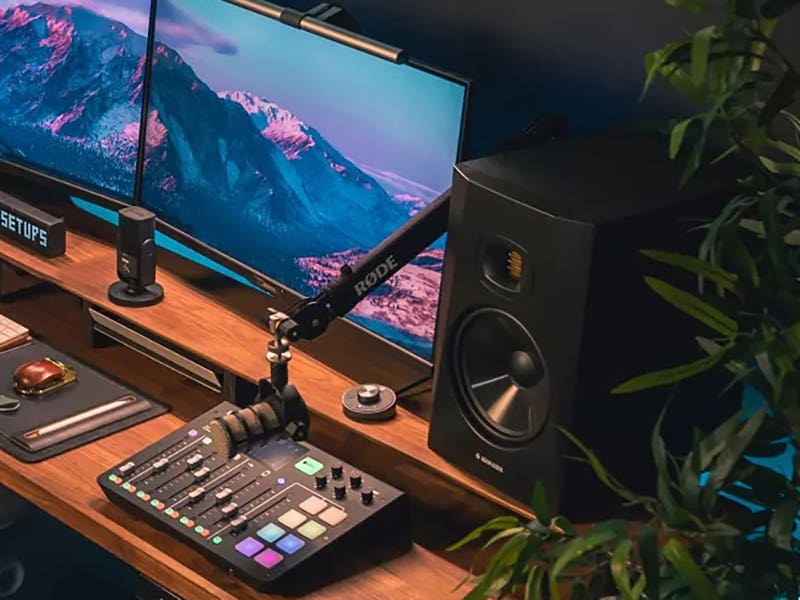
- Nearfield monitors sit close to the listening position, usually on a desk or monitor stand. They minimize room reflections and help you hear details clearly, which makes them ideal for home studios and smaller spaces.
- Midfield monitors are placed farther back and move more air. They give you a bigger picture of low end and stereo width, working best in larger rooms where sound has space to develop.
- Using both together lets you reference mixes at different distances. Nearfields handle detail and balance, while midfield speakers reveal how a mix translates at higher volume and scale.
Multiple perspectives help catch issues before they leave the studio.
Understanding the Studio Monitor Ecosystem
Studio monitoring works best when each piece plays its role. Whether you’re starting simple or building a more flexible setup, knowing how these components fit together makes it easier to get consistent results.
Active (Powered) Studio Monitors
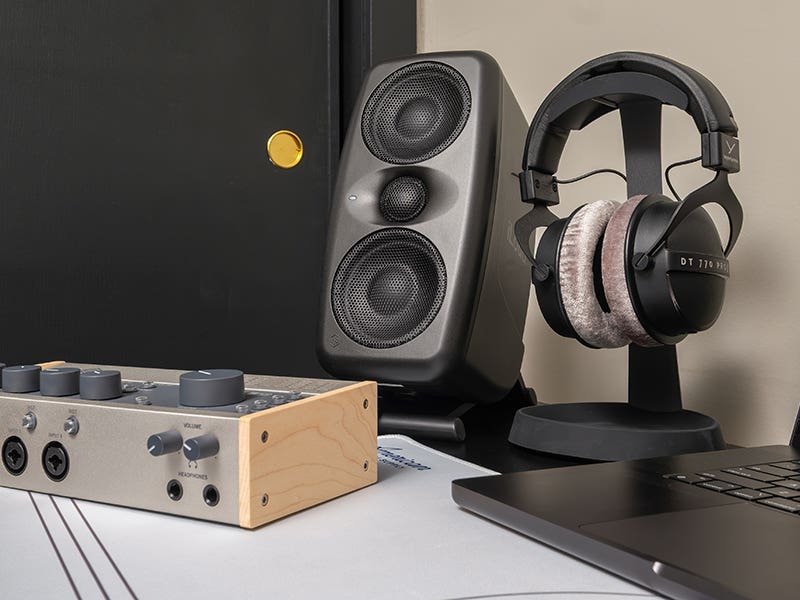
Active monitors have built-in amplification, which keeps the setup straightforward. You connect them directly to an audio interface or monitor controller, and you’re ready to go. They’re the most common choice for home and project studios.
Active (Powered) Subwoofers
A subwoofer extends low-end response and helps you hear what’s happening below what smaller monitors can reproduce. It pairs with powered monitors to add depth and balance, especially in electronic or bass-heavy music.
Studio Monitor Controllers
Monitor controllers manage volume, input sources, and speaker switching. They make it easy to control levels accurately and move between different monitor setups without touching your interface.
Passive (Unpowered) Studio Monitors
Passive monitors require an external power amp. They’re more common in larger or custom setups where amplification and speakers are chosen separately.
Desktop Speakers
Compact speakers designed for close listening. While not always true studio monitors, desktop speakers are often used as a secondary reference to hear how mixes translate to everyday listening.
KRK ROKIT Gen 5 2-Way Studio Monitor
Ready to “blast off?” Check out the 5th Generation of KRK ROKIT studio monitors. They’re bigger, better, and more versatile than ever before. With 3-in-one monitoring flexibility, multiple voicing modes, and KRK’s legendary sound quality, they might just be your new favorite piece of studio gear.
Cables and Connections for Studio Monitors
Getting studio monitors hooked up correctly is just as important as choosing the speakers themselves. The right interconnect cables help keep noise down and make sure you’re hearing your mixes as clearly as possible. Here are the most common options you’ll see:
- XLR connections: Balanced and reliable, XLR is common on studio monitor speakers and audio interfaces. It helps keep noise down, especially with longer cable runs.
- 1/4 inch TRS connections: Also balanced and widely supported. TRS works well when XLR isn’t available and offers similar noise resistance.
- RCA connections: Unbalanced and more common on consumer gear. These can work in short runs but are more sensitive to interference.
Using balanced cables whenever possible helps your monitors sound as clear as they’re meant to.
Frequently Asked Questions About Studio Monitor Speakers
Do studio monitors need an audio interface?
Most setups use one. Interfaces provide proper outputs and level control.
Do studio monitors work in untreated rooms?
They do, but room acoustics still affect what you hear. Placement helps a lot.
What’s a good first upgrade after monitors?
Many add a monitor controller or improve room placement before buying more gear. A subwoofer is also a good addition to bring more bass response into your monitoring.
Get the Truth from Your Speakers With Studio Monitors From AMS
The right studio monitors make it easier to trust what you’re hearing, whether you’re producing or shaping sounds from the ground up. With accurate monitor speakers and the right connections, every decision comes into focus. American Musical Supply makes upgrading easier with flexible payment plans that let you spread out the cost of studio monitor speakers and related gear. Browse our full selection and build a monitoring setup that helps your music translate everywhere it’s played.