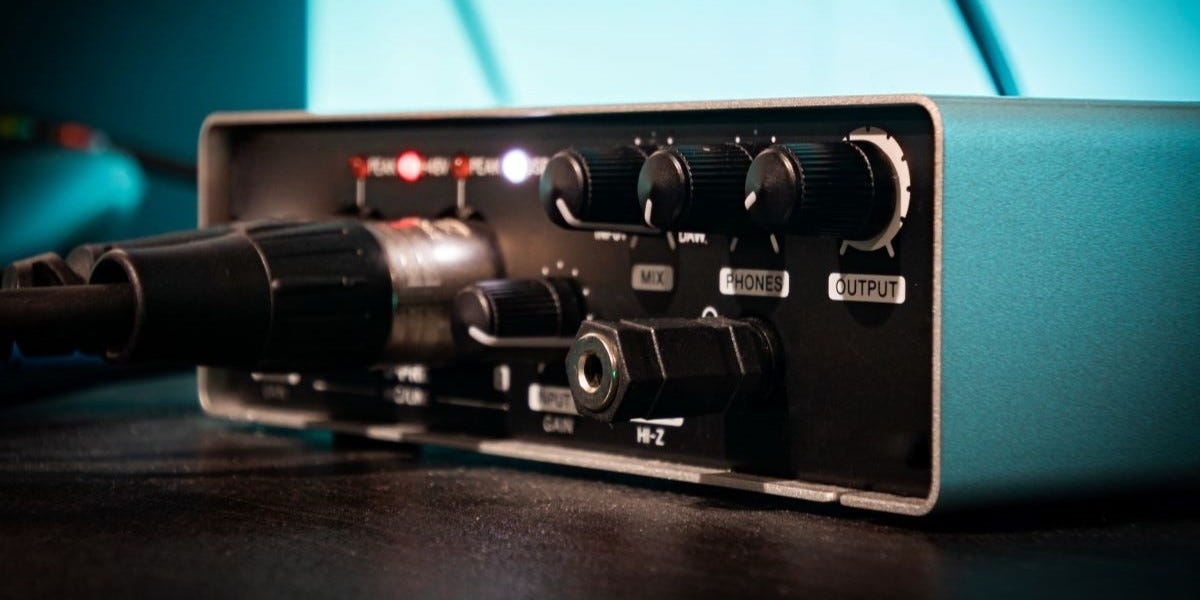
Choosing the right audio interface makes all the difference when it comes to recording. With so many options flooding the market, finding the ideal match for your studio needs might initially feel a little bit overwhelming. However, we’re going to change that. Been there, done that!
This comprehensive guide breaks down the 10 most important features to consider when shopping for an audio interface. From connection types to preamp quality, we'll explore everything you need to know to make an informed decision that fits your budget and recording goals.
What Does an Audio Interface Do?
Before exploring its features, let’s first explain what an audio interface does. It acts as a bridge between your analog instruments and your computer. The audio interface converts analog signals from microphones and instruments into digital signals your computer can process and then converts digital signals back into analog for your monitors or speakers.
You can't simply plug an XLR microphone cable or instrument cable directly into your computer, so you’re going to need an interface to act as the middleman to handle the signal conversion.
The number of inputs you'll need will depend entirely on the quantity of what you’re recording. A singer-songwriter might only need two inputs, while a full band recording simultaneously could require eight or more. Most audio interfaces include multiple microphone preamps, but it’s always ideal to make sure those inputs match your specific needs.
So, an audio interface handles the leg work, while you can focus more on the creative part.
1. Connection Types: Your Gateway to Digital Audio
When it comes to recording and producing music, your gear setup is the foundation of your creative process. And no, it’s not just about having the fanciest microphone or the latest software; it’s about how it all works together.
Your audio interface can communicate with a computer from a few different kinds of connections, depending on what your computer is equipped with. Let’s take a look at the essential types to be aware of.
USB Connection
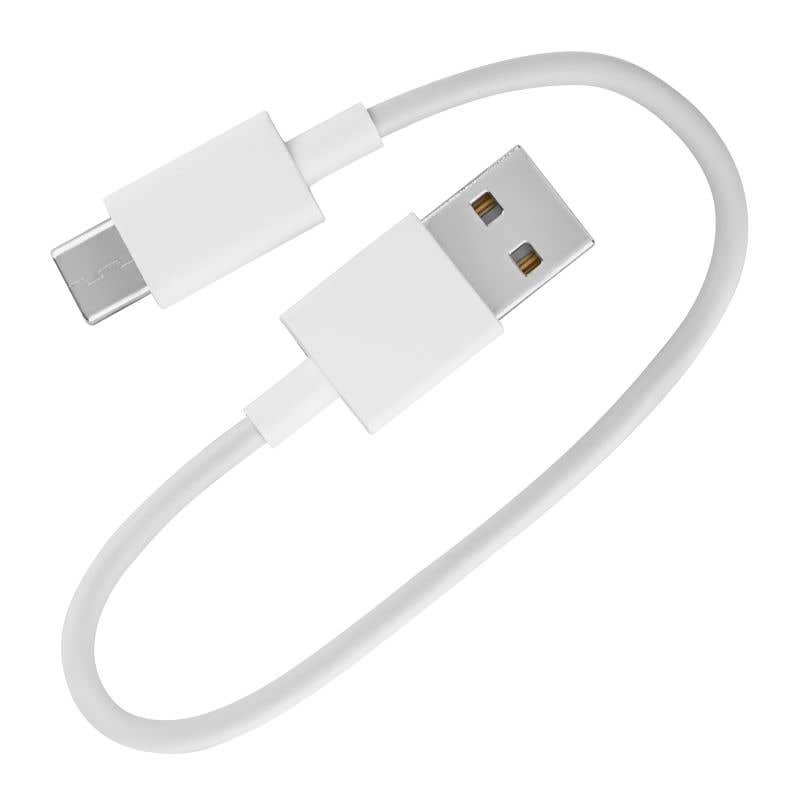
USB / USB-C connections dominate the entry-level and mid-range audio interface market for good reason. Many USB audio interfaces run on bus power, meaning they draw power directly from your computer without needing an external power supply. This makes USB interfaces perfect for mobile recording with laptops.
Thunderbolt Connection
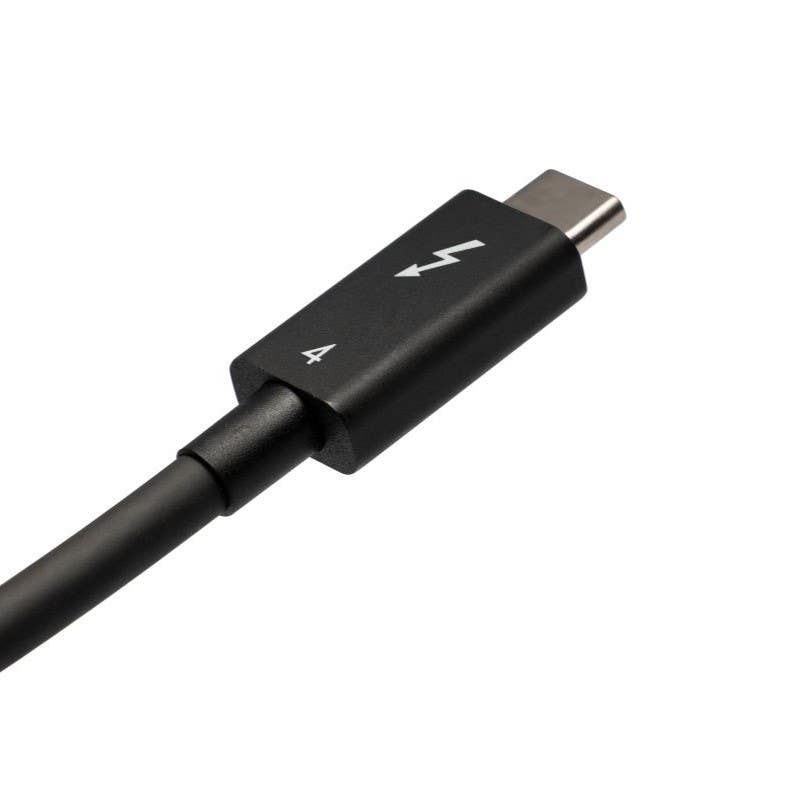
Thunderbolt represents the gold standard for professional audio interface connections. With incredibly high speed and low latency, Thunderbolt 3 delivers twice the speed of Thunderbolt 2 and eight times faster performance than USB 3. Supporting speeds up to 40 Gbps, Thunderbolt interfaces handle high track counts and demanding professional workflows with ease.
FireWire and PCIe Connections

Although less common today, FireWire still holds its ground in professional studios due to efficient data handling. PCIe interfaces install directly into your computer's motherboard, bypassing conversion processes that cause latency. However, PCIe interfaces only work with desktop computers, not laptops.
2. Input and Output Configurations
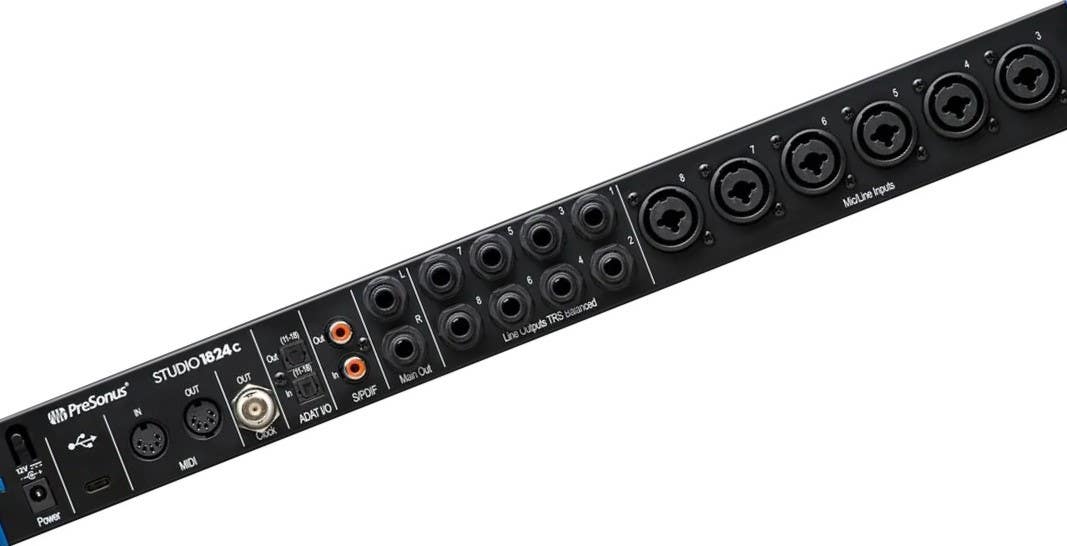
When it comes to choosing the right audio interface, the details of input and output configurations are more important than you think. The number and type of connections that your audio interface have essentially decides what type of bandwidth you can cover and can either limit or serve your project. Let’s take a dive into what you’re going to want to look for.
Essential Connection Types:
- Mic Inputs: Connects microphones directly to your audio interface with XLR connections
- Instrument Inputs: Handles low-level signals from guitars and basses
- Line Inputs: Accepts hot signals from synthesizers, electric pianos, mixers, etc.
- Line Outputs: Sends line-level audio to studio monitors or external hardware
- MIDI Input/Output: Connects MIDI controllers and keyboards (though most now use direct USB connections)
Understanding these connection types ensures your audio interface can handle all your recording sources without additional adapters or workarounds. Doesn’t matter whether you’re recording your own music or if you’re working on someone else’s, you want your setup to be efficient as possible.
3. Bit Depth and Sample Rate Specifications
Here's where the technical specs actually matter for your recordings. When choosing an audio interface, bit depth and sample rate are critical because they directly impact the audio quality, dynamic range, and accuracy of the recordings and playback.
24-bit audio provides 144dB of range, which is actually the professional standard that gives you the headroom needed for clean recording and processing. The extra bit depth prevents noisy quiet sections that plague 16-bit recordings.
Sample rate proves more subjective. The CD-standard 44.1kHz takes 44,100 digital snapshots per second. Most professionals work at 48kHz, 88.2kHz, 96kHz, or higher rates like 192kHz for sound design work. For streaming music, 16-bit/44.1kHz works fine, while you’re going to want 24-bit/96kHz for high-resolution releases or professional work.
While higher specs offer better quality, they should be balanced with practical considerations like storage, processing power, and the intended use of the audio. For most users, a 24-bit/48 kHz audio interface holds the perfect balance between quality and efficiency.
4. Preamp Quality and Gain Range
Your preamps shape how everything ends up sounding in your recordings. High-quality preamps amplify low-level microphone signals while maintaining clarity and character. Some of the poor preamps add noise, distortion, and flatten the life out of your performances.
It’s best to look for preamps with low noise floors and sufficient gain for your microphone types. Dynamic mics need more gain than condensers, so ensure your interface can deliver clean amplification without maxing out the gain knobs.
Look for preamps with:
- Low noise floors for clean amplification
- Sufficient gain range for your microphone types
- Clean headroom without distortion
- Tonal shaping options like Focusrite's Air Mode for added brightness
Some preamps offer tonal shaping features. Focusrite's Air Mode adds high-end clarity and brightness, while other interfaces provide saturation options for subtle harmonic enhancement.
5. Latency Performance
Latency, which is essentially the delay between playing and hearing your audio, can destroy recording performances. Even small delays throw off timing and make overdubs nearly impossible. Modern audio interfaces minimize latency through:
- Efficient drivers optimized for your operating system
- Direct monitoring capabilities bypassing computer processing
- High-speed connections like Thunderbolt for faster data transfer
- Hardware-based routing reducing software processing delays
Professional interfaces typically achieve latency under 5ms, while some of the lower-budget options may struggle with higher delays that impact performance quality.
6. Digital Signal Processing (DSP) Capabilities
DSP stands for Digital Signal Processing, and it's a game-changer for larger recording sessions. Interfaces with onboard DSP let you use built-in effects before your signal hits your DAW, crucial for monitoring with reverb and compression during recording.
DSP becomes essential when you’re recording with a band. Say your guitarist wants more reverb in their headphones. You can just adjust it in the DSP software without affecting the dry signal you're recording. This solves latency issues that arise from using native plugins during tracking and takes processing load off your computer's CPU… phew!
DSP benefits include:
- Zero-latency monitoring with effects during recording
- Custom headphone mixes for each performer
- CPU load reduction by processing effects on the interface
- Real-time processing without computer strain
Most interfaces with 8+ outputs include DSP functionality, making it valuable for multi-person recording sessions and professional studios.
7. Front-Panel Monitoring Controls
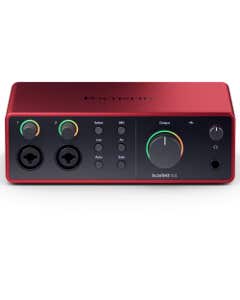
It’s almost a given that you’ll be provided basic controls to manage each interface. However, nobody wants to dive behind a desk to adjust a knob. Having the basic controls all on the front panel keeps your workflow flowing and, to be honest… your sanity intact. Here’s what we look at:
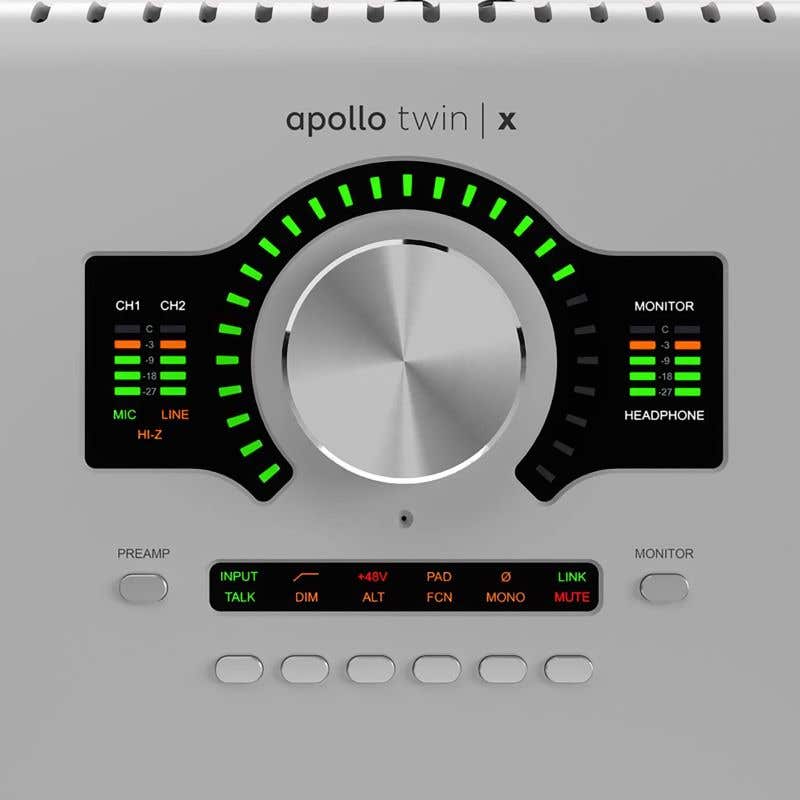
Gain Knobs: Adjusts the input level of your mics and instruments
Signal Meters: LEDs or a screen to show if your signal is at a healthy level or "clipping" (too hot)
PAD Button: This reduces a loud input signal by a fixed amount to prevent distortion
Phantom Power Button (+48V): Activates Phantom Power to power condenser microphones
Monitor/Headphone Volume: Separate volume controls for your speakers and headphones are incredibly useful
With these tools on hand, you can give more attention to the music rather than fidgeting with the technical aspects. I almost want to forget that I even have an interface in the first place… That’s how simple and easy it makes the job for me.
8. DAW Compatibility and Expansion Options
Your recording needs will grow over time, and that’s fine! Smart interface selection considers future expansion through:
- ADAT Connections: Add up to 8 additional inputs per ADAT port
- Multiple Interface Linking: Some brands allow chaining multiple units
- Software Compatibility: Ensure your interface works with current and future DAW versions
- Operating System Support: Verify driver availability for your computer platform
Brands like Antelope offer interfaces supporting up to 64 channels, perfect for large-scale productions requiring extensive input counts. Just ensure that your chosen interface works seamlessly with your DAW of choice. Most modern interfaces support all major DAWs, but checking compatibility will just save you the headache later, in case you run into any odd instances.
ADAT connections let you daisy-chain additional preamps for more inputs. Some interfaces support word clock for synchronizing multiple units. Thunderbolt and Ethernet connections provide scalability for professional channel counts.
9. Build Quality and Durability
Of course, your audio interface is going to need to survive daily use and maybe occasional transport. Look for audio interfaces featuring:
- Metal Chassis Construction: Provides superior protection compared to plastic housings
- Sturdy Knobs and Switches: Offer reliable tactile feedback and resist wear
- Rugged Design: Handles the rigors of regular studio use and mobile recording
A well-built interface with higher quality components ensures consistent performance and longevity. Cheap plastic interfaces might save money upfront but oftentimes fail when you need them most.
10. Software Bundle and Added Value
Many interfaces include software packages with DAW licenses, plugins, and sample libraries. These bundles can represent significant value, especially for beginners building their first studio setup.
Look for interfaces that include:
- DAW software (Pro Tools, Logic Pro, Ableton Live, etc.)
- Plugin collections for effects and virtual instruments
- Sample and loop libraries
- Guitar effects and amp modeling
The right audio interface, paired with its software arsenal means you're prepared to unleash a professional-grade sound and watch your creative projects truly come alive.
Top Audio Interface Brands to Consider
Several manufacturers consistently deliver quality audio interfaces across different price ranges. Here are a few of our favorites:
- Focusrite - Reliable mid-range options with excellent preamps
- Universal Audio - Premium interfaces with built-in UAD processing
- Mark of the Unicorn (MOTU) - Professional interfaces known for low latency and stability
- Solid State Logic (SSL) - High-end interfaces with legendary console heritage
Choose brands with strong reputations for driver updates, customer support, and long-term product viability.
Finding Your Perfect Audio Interface
Choosing an audio interface can definitely feel a bit overwhelming at first, but we're here to simplify it. Start with the basics, like how many inputs you actually need, and go from there.
Once you’ve established that, consider next the connection types. For most home studios, a USB interface offers the ideal mix of performance and affordability. If you’re handling demanding projects and need extra speed, a Thunderbolt interface might be the better choice.
Remember, this is a long-term investment, not something you'll replace often. A high-quality interface can outlast several laptops, so choose one that supports your creative goals. If you need pristine preamps, inputs, or strong MIDI integration, focus on features that truly matter for your workflow. Choose a device that meets your current needs and that can grow with your ambitions. Have fun recording and feel free to reach out to us if you have any questions at 800-458-4076.

Focusrite Scarlett 18i20 Gen 4 USB Audio Interface
Special Price $749.99
Solid State Logic 18 26x28 32bit 192khz USB Audio Interface
Special Price $1,199.99
Universal Audio Apollo x4 Gen 2 Essentials Thunderbolt Interface
Special Price $1,999.00
Focusrite Scarlett 2i2 Gen 4 USB Audio Interface
Special Price $224.99
Universal Audio Apollo Twin X Quad Gen 2 Studio Thunderbolt Interface
Special Price $1,799.00
Focusrite Scarlett 2i2 Studio Gen 4 Recording Package
Special Price $329.99
Universal Audio Apollo Twin X Quad Gen 2 Essential Thunderbolt Interface
Special Price $1,499.00
Universal Audio Apollo Twin X Duo Gen 2 Studio Thunderbolt Interface
Special Price $1,299.00