
“Can I use a clip-on microphone? I don’t want to look like Britney Spears up there.”
It happens often, people hesitating when it comes to wearing a wireless head-worn microphone. In my experience, people always seem to refer to Britney Spears by name when it comes to talking about them. But everyone should remember that Britney seriously rocked the headset! So that shouldn’t be considered a negative at all.
But I digress.
I do get what they mean: It’s that they prefer something a bit less noticeable. And that’s where a wireless lavalier (LAV) microphone comes in.
LAVs are a popular favorite for public speakers, corporate presentations, officiants, and event emcees. They require minimal setup and are intended to be clipped onto a lapel or collar.
So, it should be as easy as clip it on, turn it on, and talk, right?
Well, it’s a little more in-depth than that. And that’s where we’ll start. Let’s talk about what to expect when using a wireless lavalier and how you can best use them to their fullest in your performance.
A Bit More than Meets the Eye (and Ear…)
For all the pluses of a small form-factor and easy deployment, lavaliers aren’t an automatic plug-and-go solution. One of the biggest initial observations from anybody using wireless LAVs, especially when dealing with them for the first time, is their sensitivity.
First, it’s important to know that lavalier microphones are very small and have miniaturized capsules. They usually come in two types: omnidirectional and cardioid.
Omindirectional mics do exactly what they sound like: They pick up signal from all directions with minimal rejection.
Cardioid mics are directional, capturing signal from the front and certain parts of the sides with rejection primarily from behind the capsule (the rear) — just like in their larger wired and handheld wireless counterparts.
Each mic has a distinct “polar pattern” which shows you the spots where signal is received and rejected and at what intensities they occur. Knowing these patterns is important so you can place your microphones (and by extension, the presenters and performers) for maximum clarity, volume, and elimination of feedback.
Feedback: A Quick Lesson and How to Deal with It
Ah yes, feedback. That source of worry and omnipresent concern for audio engineers and performers alike. Without getting too technical, feedback is basically a runaway loop of audio signal that manifests as an intensifying pitched hum or whine that can quickly lead to a very loud squeal.
Sound, primarily a specific frequency area, is picked up through the mic and is sent through the speakers, which is then picked up by the mic, which is then sent through the speakers, and so on. You see where this is going.
All the while, the cycle continues in a hurry, making things louder and louder until SCREEEEEEEECH!
You can see the problem.
There are a lot of factors to consider, including the type of microphone, the environment in a room, the environment on stage, and the general positioning of speakers and sound generating devices. Basically, you want to make sure that your microphones are set up, angled, and directed in a way that they are picking up necessary sound from the source while simultaneously rejecting the sound that is coming from other directions.
Lavaliers and Feedback
So, why am I choosing to talk about feedback in an article about LAVs? Well, because wireless lavaliers are more likely to have feedback issues when compared to wired, wireless handheld, and headworn offerings.
Am I telling you this to freak you out? Absolutely not! This is not a scare tactic. LAVs are wonderful tools, and I just want to highlight their idiosyncrasies, prepare you for potentially unexpected issues, and give you the necessary information to troubleshoot so they will work to their fullest potential.
Preparations for Using a Lavalier Microphone
The first rule of thumb is that wireless lavalier mics need to be as close to the speaker’s mouth as possible, so clipping it at the very top of the shirt collar, blouse, etc. with the capsule aimed more vertically is going to give you a stronger sound.
To prevent excess noise, be sure to take some time to optimize positioning away from their neck, facial hair (especially a long beard), jewelry, or any loose-fitting fabric that could rub against the capsule.
Again, a reminder that the further away a microphone is from the sound source, the weaker the signal. You can increase the gain on your mixer or interface to compensate, but go too far and you run the risk of triggering feedback.
With a lavalier the feedback risk increases, and it increases further still when it is an omnidirectional lavalier, since sound sources coming from all directions are coming in hotter and can quickly contribute to that runaway feedback loop. Cardioid lavaliers are better feedback fighters due to their focused frontal polar pattern which rejects more ambient noise, but you still need to be aware of gain levels and EQ with them as well.
Check Your Environment
Where are the PA speakers located? Are there any stage monitors nearby, and might they be putting out audio? Lavaliers work best when the speakers are further away from the presenter, and even better if they are flown above them. Presenters should never stand directly in front of speakers when using a LAV — see feedback issues.
What is the natural sonic character of the room? Venues that include lots of sound-dampening material like carpet, curtains, and acoustic foam/paneling will be more sonically neutral and easier to navigate from a tone-sculpting and management standpoint. Spaces built with lots of exposed hardwood, concrete, and metal are going to be very lively and will possess a stronger level of natural reverb, something to factor in when you do your final preparation here next.
Lastly, you’ll need to make some adjustments to the compression and EQ of your lavalier to catch some of the trouble spots. This process is known as “ringing out” your system, and in my opinion, it is doubly important to a lavalier microphone. I’ll be discussing the detailed process of “ringing out” primary audio equipment (like PA mains and stage monitors) in a separate article, but for now we’re going to limit the process specifically to wireless applications.
Checklist for Setting up and Fine-Tuning a Lavalier Microphone
So, your presenter has the mic clipped to their outfit in the proper position, fresh batteries in are the receiver pack, and you’re ready to go. Here are the steps to properly deploy a wireless lavalier microphone system:
- Start with your EQ completely flat.
- Apply a high-pass filter at 100hz to eliminate any stray low frequency noise.
- Have the user start talking, making sure that they talk at their full natural volume. They should move around comfortably like they are going to when they speak.
- Slowly bring up the gain. Make sure the level is steady, consistent, and isn’t distorting. Watch for clipping.
- Apply some compression to help smooth out the peaks and valleys that can come with the speaker changing volume quickly.
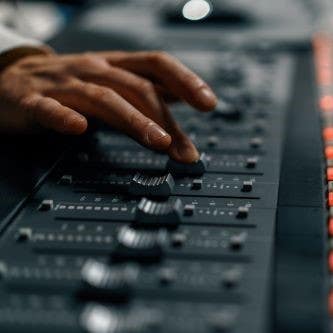
- Listen for hints of feedback and make subtle adjustments to the EQ. Using your mixer’s “real time analyzer” (RTA) is a great way to see which frequency bands are giving you trouble. When feedback occurs, you’ll see the gain quickly spike over a certain area and you can lower the gain in the corresponding parametric EQ section. If your mixer has a built-in Graphic EQ, you can isolate those bands with even more accuracy.
- With analog mixers that have no visual display, you’ll need to use your ears. Listen to the pitch of the feedback and then pull out some of the corresponding frequencies. Since analog desks commonly use 3- and 4-band EQs, it isn’t going to be quite as precise, so you’ll need to do some trial and error. Remember to check if your “mid” knob is sweepable, so you can more closely dial in a primary trouble frequency for adjustment.
- And lastly, if you are also using wired mics or other stationary model that will remain on a stand or at a podium, you will want to focus on having a comparable mix level between these and your LAV(s). Do your best to make sure there isn’t a drastic difference between the two types, and know that your wired is going to trend towards a natural hotter signal.
Once your EQ looks good and feedback is under control, you’re ready to start the show!
Practice Makes Perfect When It Comes to Wireless LAV Mics
I hope this article has helped give you a good starting point for using a lavalier in a live-sound setting. The process I shared with you has served me well, but it is by no means a one-size-fits-all checklist. Be sure to take your time, use the tools at hand, and most importantly use your ears! Just remember the four big things: mic positioning, location of your PA speaker sound sources, gain levels, and processing (primarily EQ and compression). The more you work with lavaliers, the more comfortable you’ll be getting them up and running at each subsequent event.
Looking for a couple of wireless lavaliers to boost your setup? American Musical Supply has you covered! With offerings from brands like Shure, Sennheiser, and more leading the way, you’ll enjoy professional quality sound for all sorts of applications. Add in budget-friendly 0% interest payment plans, and it’s easier than ever to build out a commanding wireless rig.