
I know that look! You want to show off your collection of music, create custom playlists for events, and control the energy of the party. You’re also thinking, “I like this track, but it needs a little something extra, some remix energy!”
The diagnosis is in. You want to DJ!
But you understandably have questions. How do you get started DJing? What equipment do you need? What do you need to learn how to do? You may have heard that there are many ways to approach DJing, so…. what are the different options, and which would best suit me?
This article is here to help steer you in the right direction by answering those questions and more.
In today's modern music culture, terms like “DJ” and “producer” are thrown around all the time. You hear it when you hit up the social media airwaves, fire up your favorite streaming platform, or when you turn on the radio. It's incredibly common to hear people talk about DJs and producers in interviews as they discuss music and different parts of the creative process.
That brings us to an important first question…
What Is a DJ?
At its core, the job of a DJ is incredibly straightforward:
They play prerecorded songs for an audience, one after the other.
That's it. That’s the definition.
DJ is short for “disc jockey.” This term was first used almost one hundred years ago and referred to an operator (the “jockey” part) playing music on the radio from physical media, which at time was records (hence the “disc” part.) The term continued to be used even as physical media evolved — because tapes and CDs are also fittingly disc-shaped. Eventually it was shortened to just “DJ” and now remains the term of address as the industry moved fully into the digital and internet streaming realms.
It doesn't matter what type of technology you use or what techniques you use to transition from track-to-track. A person who cues up music and simply presses play on a laptop while dancing around to hype up the crowd is a DJ. Another person who uses a collection of physical devices, instruments, and controllers to make a personalized creative mix akin to a musician performing in a band is also a DJ. The music can be someone else’s individual tracks, a premade mix, or it can be original music. The levels of artistry, skilled musical performance, and the level of detail behind the curation will vary, but they are DJs, nonetheless.
Also, being a DJ doesn’t necessarily mean you need the music to play non-stop without any breaks. DJs on the radio and on podcasts often engage in conversation between tracks. Interviews, current events, artistic critiques, and a whole host of different topics are discussed during a DJ's show, or “set.”
When looked at from more of a live-music angle, DJs are most commonly associated with pop, hip-hop, and rhythmic electronic dance music (EDM). Here you take various forms of audio, ranging from small bits or “samples” all the way up to full-length songs, and create an unbroken, flowing collection of music that moves from one thing to the next. DJs employ a number of techniques to loop, edit, slice, combine, mix, and deconstruct the elements of the audio to their liking.
There are many ways to play music, so let examine the different types of gear that makes it all possible.
You Want All the Modern Technology – Go with a DJ Controller!
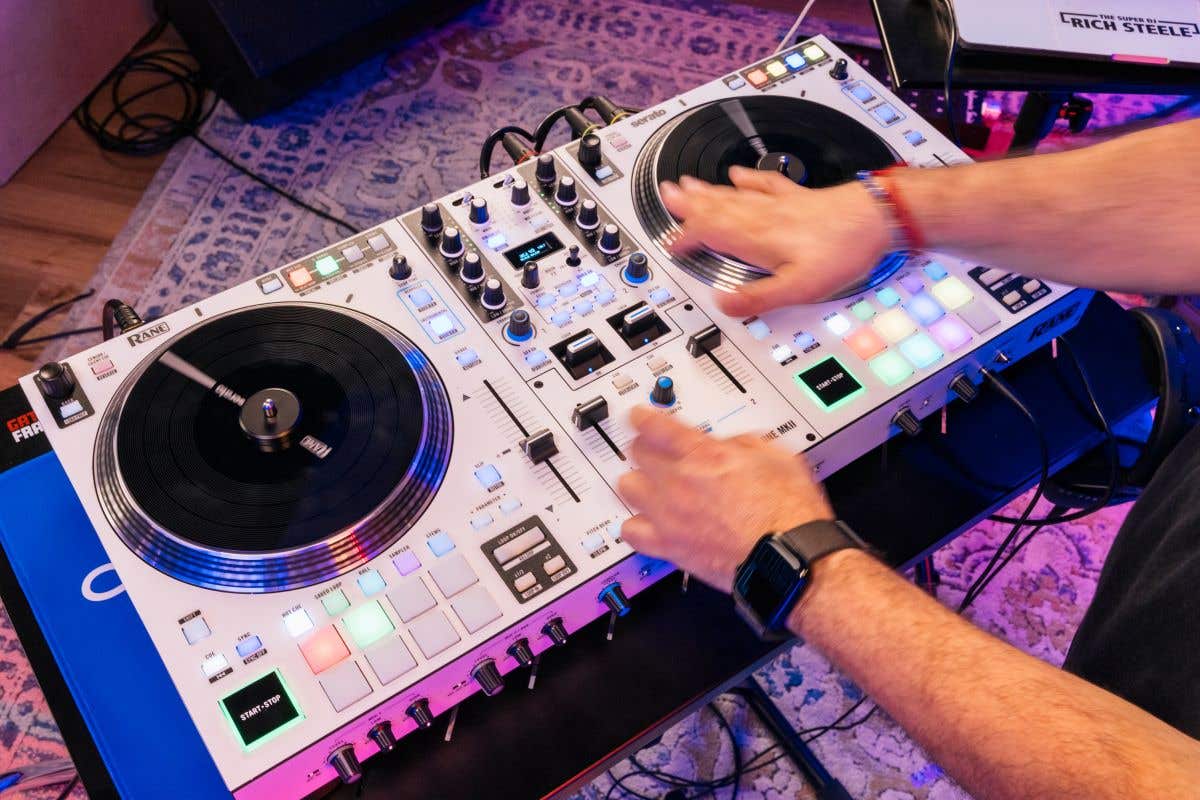
There’s a reason the DJ Controller is currently the most popular way to DJ these days. It’s all about simplicity and portability without losing a single function. Controllers are what most modern DJs use to bump clubs, serenade at weddings, or play events.
DJ Controllers have the combined look and function of two players and a mixer (aka a “battle format”). They typically require a laptop, your collection of music files (or a device like a phone or tablet, if the controller is compatible – be sure and check the specs), and a connection with a USB cable.
Since all the music lives in the digital realm, controllers are typically are lighter and often more compact than physical DJ turntables, media players, and standalone mixers.
How to DJ using a DJ Controller
The DJ controller has a familiar layout with all the important DJ features: at least two separate channels with independent level and EQ controls, jog wheels that allow you manipulate the audio — just like you were using physical media — and a sturdy crossfader to move between two different audio sources. When running in tandem with the DJ software, you can view the audio waveforms for each track playing in real time.


The introductory concept is that you play one track to the audience, while simultaneously listening to a second track alongside it in your headphones. It’s here where you see how the two tracks layer together and use the controller jog wheel to find the exact spot you want the transition to happen, cue up your track, and then switching over the crossfader to keep the mix going. This is the main difference between simply curating a playlist of songs and hitting play versus using DJ equipment like an instrument — triggering, manipulating, and personally using different techniques to keep a steady mix going from track to track.
Got all that? Awesome! With the basics covered, here comes the next-level features that really make your sets stand out!
Many advanced controller models have a bank of touch-sensitive pads that can be used to set up and trigger starting hot cues at different points in your tracks. You can even isolate looped sections or shrink it down to isolated samples for on-the-spot additions to another track. In this writer’s opinion, the most powerful DJ controller tools are tempo-matching and pitch-adjustment to help sync up songs from one to the next for totally seamless mashups. Additional audio effects engines are also often included, so you can add characteristics like reverb, delay, phaser, flanger, bitcrush, slice and stutter effects, and more.
These controllers have plenty of inputs and outputs, including models with microphone inputs, additional inputs for other pieces of DJ hardware, auxiliary inputs for other pieces of external audio gear, and multiple outputs to PA speaker mains, control rooms, and headphones. That way you can plug in a mic and hype the crowd, max out those sonic possibilities by connecting additional equipment, and send the audio from your set to different locations, all from one piece of totally rockin’ hardware!
Classic DJ: Vinyl, Scratching, Cutting, and Beat Juggling – Go with Turntables and a Mixer!
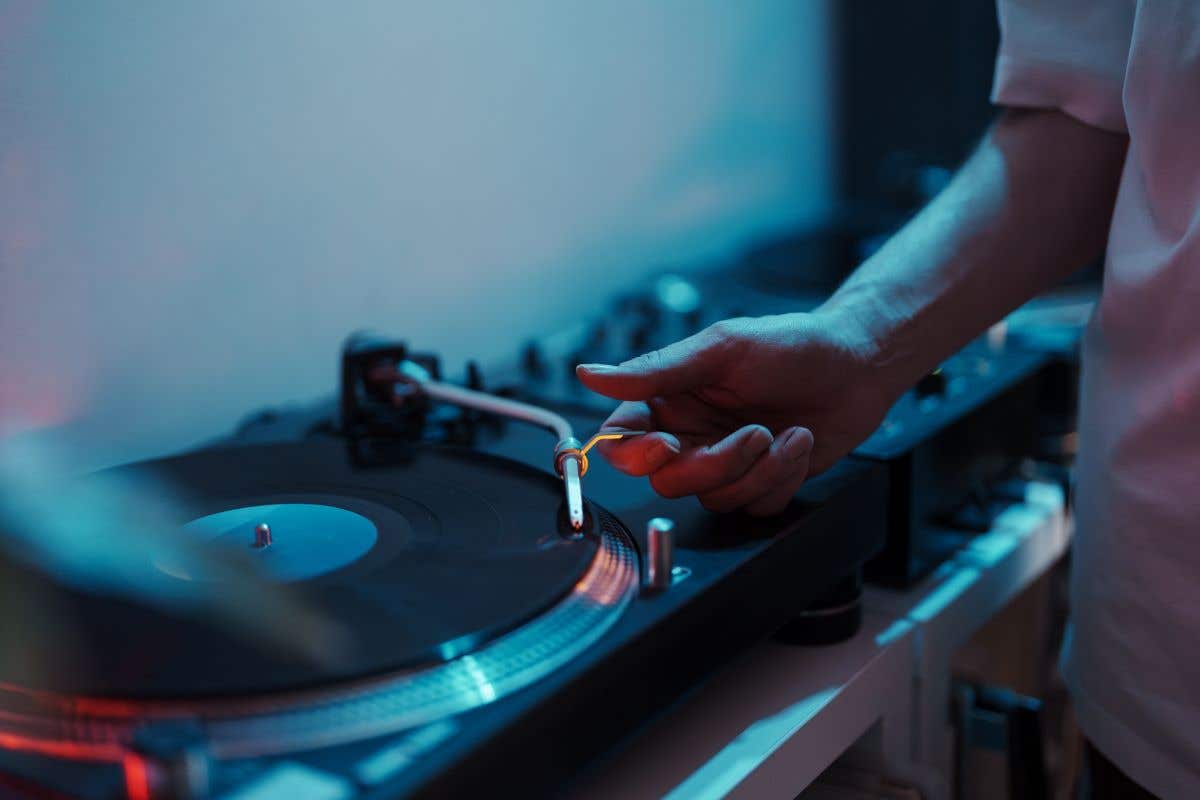
Influenced by the hip-hop culture of the late 1970s/early 1980s, early DJs started with two turntables (more casually called “record players”) and a mixer equipped with a crossfader. This gave them the ability to seamlessly combine two songs as they jumped back and forth between tracks on different records. DJs served both as the musical foundation and the personal hype behind an emcee (MC).
During the same time on a parallel front, the beginnings of club EDM had taken hold. These songs were being composed with analog and early digital synthesizers, drum machines, and a host of new recording techniques. The finished works were also being printed and released on vinyl. As these two styles grew, a growing number of DJs began creating mixes drawn from their personal collections.
Dance clubs, music venues, underground “invitation-only” spots, and house parties all played host to DJs armed with turntables and crates of records. They would play sets of music that would go on for hours and sometimes even days at a time!
How to DJ Using Turntables
With the resurgence and steady following of vinyl records over the last few decades, DJ turntables are as popular as ever. A classic turntable DJ setup requires just a few things:
- A pair of DJ turntables
- DJ mixer
- DJ headphones
- Sound system
Each turntable connects to the mixer with an RCA audio cable (“Phono Out” from the turntable to “Phono In” on the Mixer) and the mixer’s outputs then connect to the PA Speakers and Subwoofers.
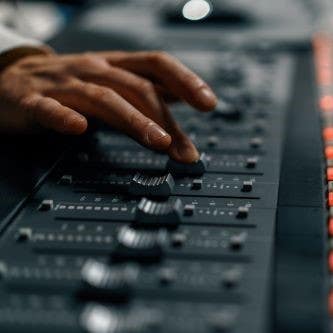
The foundation of a DJ mixer begins with a minimum of two device inputs each with overall level control, as well as EQ controls for low, medium, and high frequency management. There is also the crossfader, which allows you to shift the signal from one audio source to another, as well as create varying blends of the two signals.
The skill and artistry come into play when you work to match key, tempo, and rhythm to create a smooth transition point between tracks on the two completely separate records. Using your headphones as a guide, you hear the first record playing while spinning the second record to the proper section, and then releasing it to sync up timing between the two. Then, when it’s to your liking, you switch the crossfader over to showcase the transition. This was the norm in the decades before computers in the DJ booth, and before the implementation of automatic pitch and time correction software. It takes lots of practice and repetitive trial-and-error to execute this live in the middle of your set, but over time you’ll get more comfortable manipulating the records to achieve the desired effect.
Ready to go next level? Scratching, jump cuts, and a whole host of physical manipulation techniques are ready and waiting to be showcased when you use turntables. Here you rhythmically push, pull, and juggle one vinyl record at various speeds and in different rhythmic patterns so that the needle (stylus) creates that hallmark scratch sound as it move back and forth across the grooves of the record. All this is going on while controlling the crossfader to interject audio from the other record being played simultaneously. The result? An exciting percussive effect that adds character and individual flair to a track. These skills really highlight the true artistry.
There are lots of great tutorials on YouTube to get started learning to scratch, and the more you practice, the more comfortable you’ll be employing these in a live setting.
To help you fine tune things, DJ turntables have tempo adjustment sliders that can slightly speed up or slow down the record being played. And remember, when you physically change the speed of a record, the pitch of the music is also going to change – so take that into consideration. Faster = Higher Pitch and Slower = Lower Pitch.
When constructing a mix, it’s important to note the key signature and tempo (in BPM or “beats per minute”) of each song you plan to use, in addition to finding specific spots in the track that would work well as both a starting point and ending point. Beat drops, repetitive vamps, and looped rhythmic sections that only use drums are all great places to begin moving to the next track in your mix.
Turntables don’t need to be completely old-school. There are ways to incorporate them alongside the newest technology. DJ computer software adds many features, including easy management of a digital library of tracks, automatic tempo and pitch matching controls, and a bunch of additional digital audio effects. Look for programs that include control vinyl — a physical record outfitted with circuitry to sync with the software — so you can use them with standard DJ turntables. This way you can still scratch, cut, and mimic all the effects of manipulating physical vinyl in a digital format!
If you want to explore the world of performance DJing using turntables, then a direct-drive model is the way to go. These types of turntables have a motor positioned underneath the platter that powers the whole mechanism. Durability and consistency are the trademarks of direct drive. This means that you can scratch, cut, juggle, and quickly change records confidently.
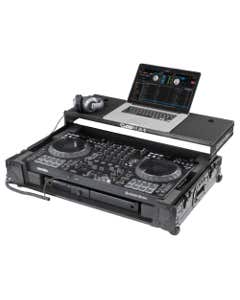
Due to their size and construction, direct-drive turntables can be a bit heavy and awkward to transport. If you plan to pick up and travel, be sure to include a hard case for the whole setup, mixer included. Brands such as Odyssey, Grundorf, and Magma offer hard-sided cases that are the perfect partners for today's top-selling turntables from Pioneer, Denon, and RANE, just to name a few.
Lastly, if you have been reading everything I just mentioned and feel a bit overloaded, then a more consumer-friendly model with USB connectivity is the way to go. This type of turntable is just the thing for listening to records and DJing more causally for parties and events, so you can take your time between playing tracks from different albums. Connecting with USB to your computer can even help convert vinyl recordings into digital files to bolster any music collection!
Digital DJ: Compact Media and Your Digital Collection – Go with Media Players and a Mixer
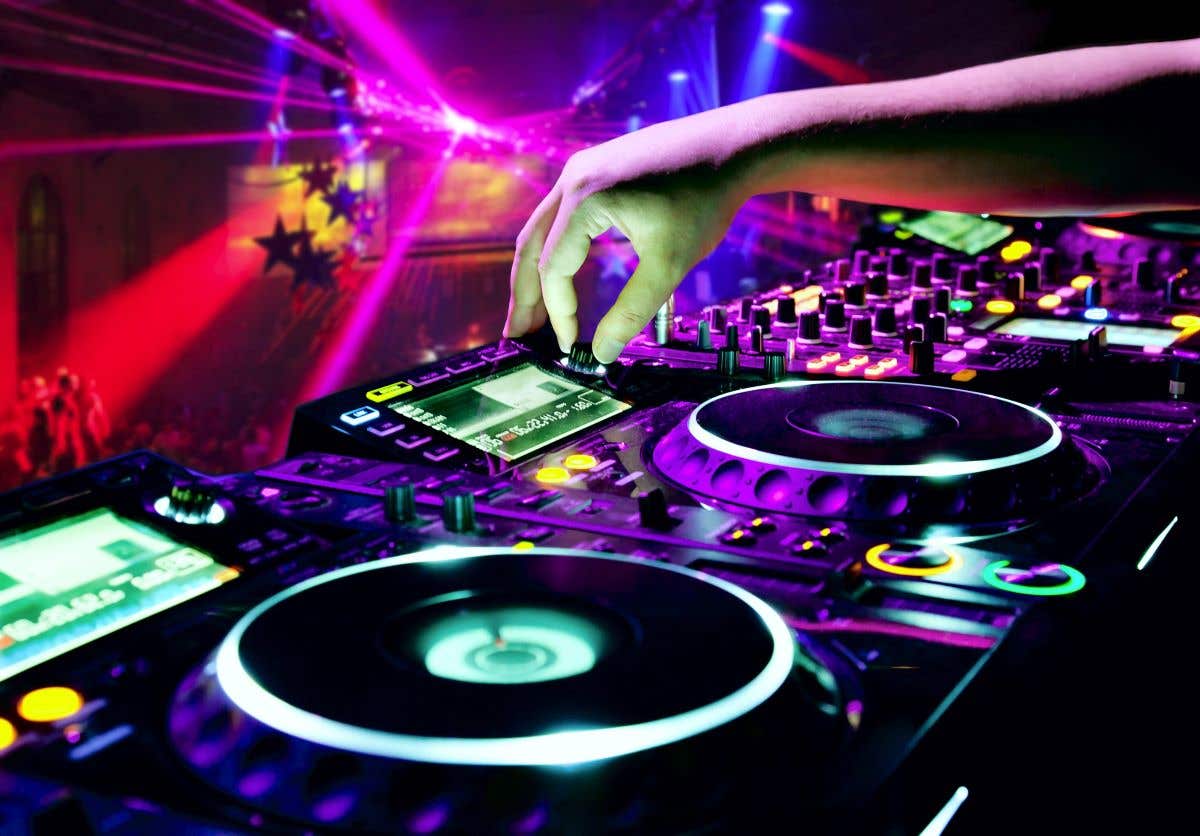
You’re keeping the basic premise of two audio playback machines and a mixer, but instead of turntables, you’re going to go with the newer technology!
A bit of history here: During the mid-to-late 1980s, compact discs (CDs) began their steady rise to prominence as the way to consume media. These advances also led to the creation of newer devices in the DJ realm. The most notable was the CD turntable, or “CDJ.” This offered DJs the ability to set cue points digitally using the track timers, while maintaining a comfortable feel similar to turntables. You no longer had to carry a heavy crate of vinyl and could use a book of CDs.
Now fast forward to the late 1990s. With the spread of file-sharing and “burning” CDs with CD-writers (a sort-of mixtape 2.0), and you can see why the CDJ was an incredibly popular choice in the industry.
How to DJ using Media Players
While the term “CDJ” is still thrown around, the modern name for this device is “DJ media player” or even just “DJ Player.” In addition to playing CDs, most models can play audio from other physical media discs (MP3, DVD-R), portable flash hard drives, SD-card storage, and some can even connect wirelessly to access an entire music library from a networked device.


Tempo indicators, cue points, an individual track's sonic waveform, and effects setup can all seen on the large screen. Touchscreen technology has also made the jump to these devices, making it even easier to control every aspect of your set.
DJ players are also armed with smooth jog wheels, which allow you to scratch and manipulate audio in its digital format like you would physically with a record on a turntable. The feel is a bit different, but when it comes to emulating the feel of a record on a platter, the designs have really improved.
When compared to turntables, media players are often a bit smaller and make for a more compact setup. That being said, a hard case for your whole rig is still recommended for transport. A pair of media players is a versatile way to DJ with any type of digital audio without needing to be dependent on a computer.
The Beatmaker – Go with Drum Machines, Sequencers, and Samplers
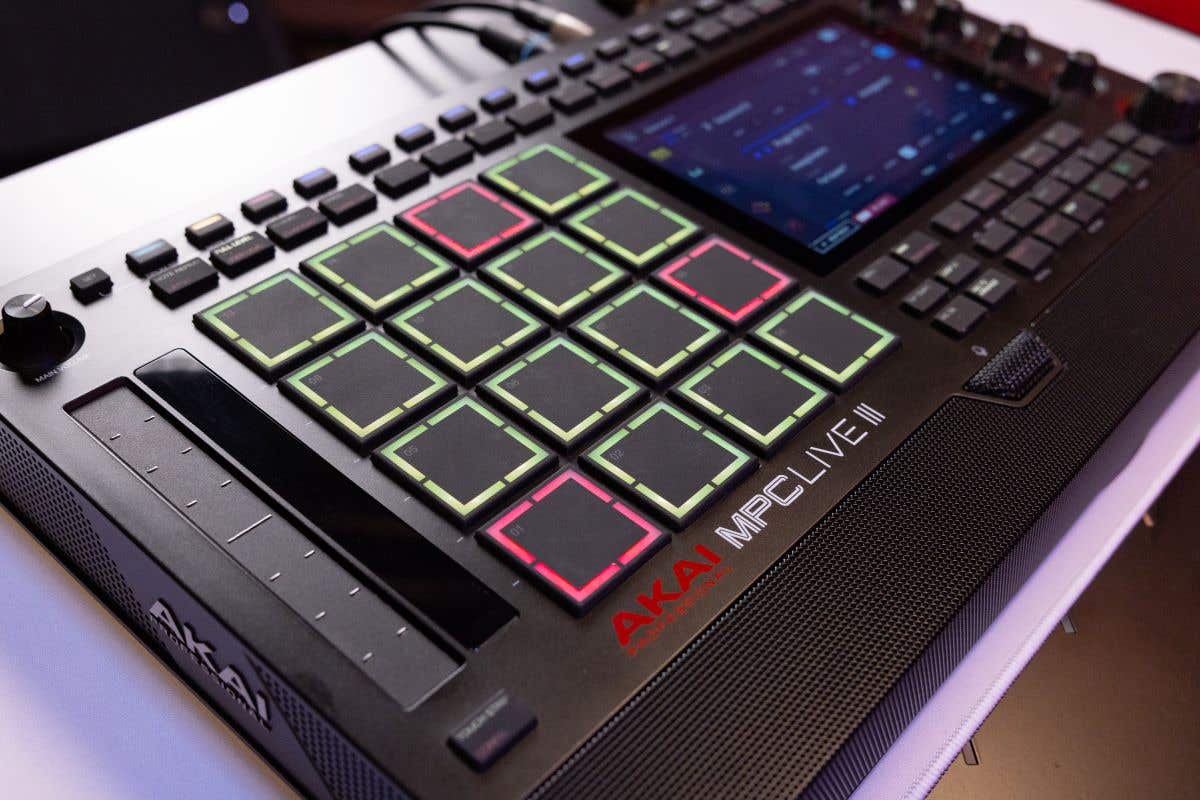
This is for gearheads in the making who want to craft grooves and mixes with even more of a personal touch! Brought to prominence in the 1980s, these devices served as musical add-ons in the DJ realm and important composition tools in the music studio.
Drum machines started as both a digital library of pre-programmed grooves that you could activate and trigger. Samplers allowed you to record and capture bits of audio, save them to the internal hard drive, and recall them by using the device's interface and touchpad buttons. Sequencers were laid out in a linear grid and gave you the ability to construct your own rhythmic patterns by loading samples at points in the line.
Today, the majority of beat production tools can do it all, acting as sampler, sequencer, and drum machine in one package. Modern DJ hardware includes auxiliary ports for other external gear. This is a great way to include additional sounds on top of existing tracks. These gear pieces are highlighted for their ability to serve as a standalone hardware, but their versatility does extend to the software side as well. Many are equipped with a USB port, which means they can interface directly with a computer. Create your own instrument, drum, or audio samples using softsynth programs from your computer and you're able to import them to these devices. You can also go the other direction. Exporting projects back into your DAW (digital audio workstation) session on your computer.
How to DJ with Drum Machines, Sequencers, and Samplers
Much more recently, there has been increased interest in creating a hardware-only DJ setup. These “DAW-less” rigs (named for the fact that the performer isn’t using any sort of DAW software to create the music for their set), are all about creating original music from the ground up!


These are excellent gear pieces for solo performers or ensemble members looking to incorporate DJ elements into a show. That means samples, beats, grooves, and soundscapes into theirs live performances without needing turntables, players, or a laptop. Build up your own beats using the device’s internal sample library of presets. Companies like Roland, Korg, and Elektron load these products up with tons of studio-quality sounds. Manipulate single samples by slicing, reversing, tweaking frequencies, using filters, and adding effects like reverb, delay, bitcrush, compression, and much more. With the proper practice, you can quickly cycle through your sample options and load them up. It's an incredible way to wow your audience in a live setting.
If the device is equipped with MIDI ports, it can be synced with another MIDI-capable device to combine forces. The sonic information from the one hardware piece (a hardware synth, another drum machine, a keyboard MIDI controller connected to a computer are possibilities) can be routed into another.
No matter how you want to DJ, AMS has the tools and gear to help you start the party!
Now that you know the different methods of DJing, you’re ready to take those steps towards powering up the party and packing the dance floor! American Musical Supply has all the DJ gear to get you going — and our 0% interest payment plans are the budget-friendly way to start creating now and spread the cost of your order total out over time.
The possibilities with these popular DJ gear pieces are endless, and you’ll be able to turn regular playlists into full-fledged mixes with plenty of energy and your personalized creative touches to make them truly stand out.
Happy mixing! And when you play your first venue, can you put me on the guest list if it isn’t too much trouble?

Pioneer DJ DDJ FLX10 Professional DJ Controller Black
Special Price $1,729.00


Pioneer DJ DDJREV7 Professional DJ Controller
Special Price $2,159.00
Chauvet DJ GigBAR Move Plus ILS Lighting System
Special Price $1,559.99

Pioneer DJ PLX-CRSS12 Digital and Analog Turntable
Special Price $1,599.00

Pioneer DJ OPUS QUAD Professional System Controller
Special Price $3,449.00